
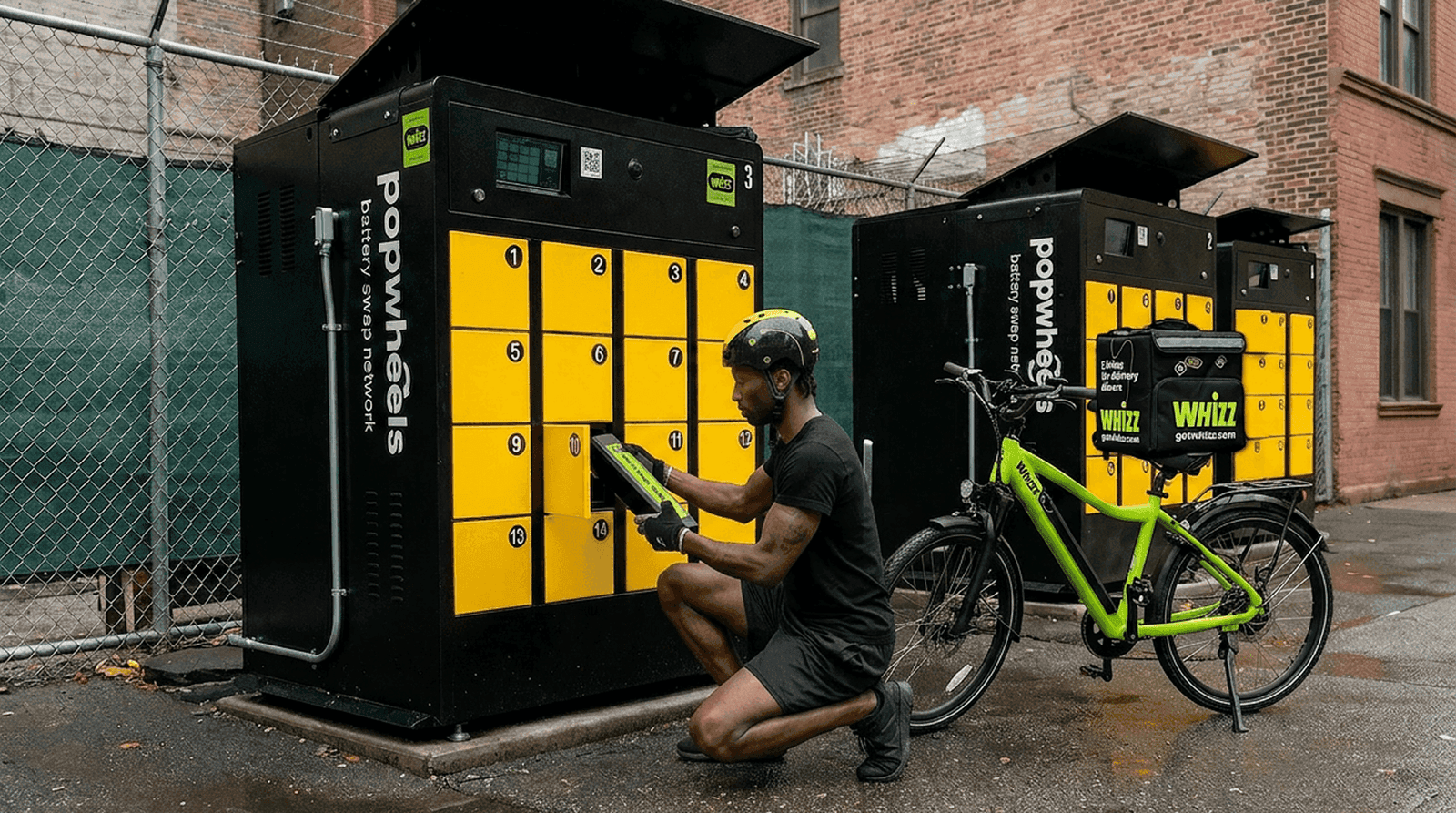
Battery swapping
How to swap your battery
Eight quick steps — open the app, pick a battery, swap at any PopWheels cabinet. Fresh battery in under a minute.
Step-by-step battery swap
- 1
Open your account
Log in to your Whizz personal account — app or browser.
- 2
Open Battery Swapping menu
Tap «Battery Swapping» from the main menu.
- 3
Go to My Batteries
In «My Batteries» you'll see the battery currently on your bike.
- 4
Pick & tap swap
Select the battery and tap the swap option to start the session.
- 5
Scan cabinet QR
Scan the QR on the PopWheels cabinet — make sure camera permissions are on.
- 6
Insert your battery
Place your battery in the open slot, plug it in, close the door.
- 7
Take the charged one
A second slot opens — take the charged battery, unplug it, close the door.
- 8
Need help?
Watch the video tutorial in your account or ping support — contacts below.
PopWheels (cabinet) support
Text: 833-245-3777
We're across the US
Walk into any Whizz hub or partner shop for free repairs, swap stations, and friendly faces who ride too.
Got questions?
Pick a topic — straight answers, no fluff.
You rent an e-bike, make 12 monthly payments, and then you can buy out your e-bike for $99. For weekly plans, the bike can be bought out after 12 months of rental.
The buyout is totally optional — you can return the e-bike anytime before the 12 months with no penalties. For pre-owned bikes, there is no down payment. For new e-bikes, there’s a $99 down payment with your first payment. All Weekly plans require a mandatory $99 deposit.
Our Rent-to-Own plans include maintenance for normal wear and tear, with a standard $9.00 service fee applied per service request.
Included labor services:
- Tube replacement for flat tires (tube included)
- Brake adjustments and brake pad replacement
- Gear adjustments
- Seat adjustments
- Front and rear light adjustments
- Wheel adjustments
- Brake oil service
- Tightening and adjustment of nuts and bolts
Included parts:
- Tubes
- Brake pads
All other parts are not included and are charged separately.
For more extensive repairs, you can visit any Whizz store without an appointment. A full list of repair and replacement prices is available in our Repair Price List.
In all monthly plans, you can choose either a pre-owned or a new bike.
For pre-owned bikes, there is no down payment. For new e-bikes, a $99 down payment is required with your first payment.
In the personal account, you’ll see pre-owned bikes by default. You can select the new version on the second step.
The Rent-to-Own program is available to riders 18 and older who can provide the required documents: a valid ID and a debit or credit card in your name. Cash or prepaid cards are not accepted. No SSN required.
Proof of address is required if:
• your address is out of state, or
• your ID doesn’t show your current address.
Just return the e-bike to one of our locations within 24 hours of your rental plan expiration, during our working hours. No cancellation fees.
Please return the e-bike, along with all additional equipment and any other items rented from us, to one of our locations within 24 hours after your rental plan ends. Failure to do so within this time frame will result in daily penalties.
Upon return, our representative will inspect the e-bike and additional equipment for damages beyond normal wear and tear.
You can pick up your e-bike at one of our offices in New York, New Jersey, Philadelphia, Washington, DC, San Francisco and Chicago, or you can opt for door-to-door delivery for $35 in New York and New Jersey.
Here are the addresses:
- Union, Manhattan — 229 W 13th St, New York, NY 10011
- Harlem — 206 E 116th St, New York, NY 10029
- Brooklyn — 745 Flushing Ave, Brooklyn, NY 11206
- Jersey City, NJ — 498 Johnston Ave, Jersey City, NJ 07304
- Philadelphia, PA — 308 Market St, Philadelphia, PA 19106
- Chicago, IL — 641 W Grand Ave, Chicago, IL 60654
- Washington, DC — 502 23rd St NW, Washington, DC 20037
- San Francisco, CA — 1231 Stevenson St, Suite 101, CA 94103